Bing Places for Business lets you link your Google Business Profile and import your listing, so you don't have to build your Bing listing from scratch. It's quick and keeps your details consistent, but it has one big catch: once linked, Google's data can overwrite what's on your Bing Places listing. This guide explains how syncing Bing Places with Google Business Profile works, according to Microsoft's own help, the real disadvantages and risks, who should and shouldn't sync, and five checks to do it safely.
How the Bing Places sync works
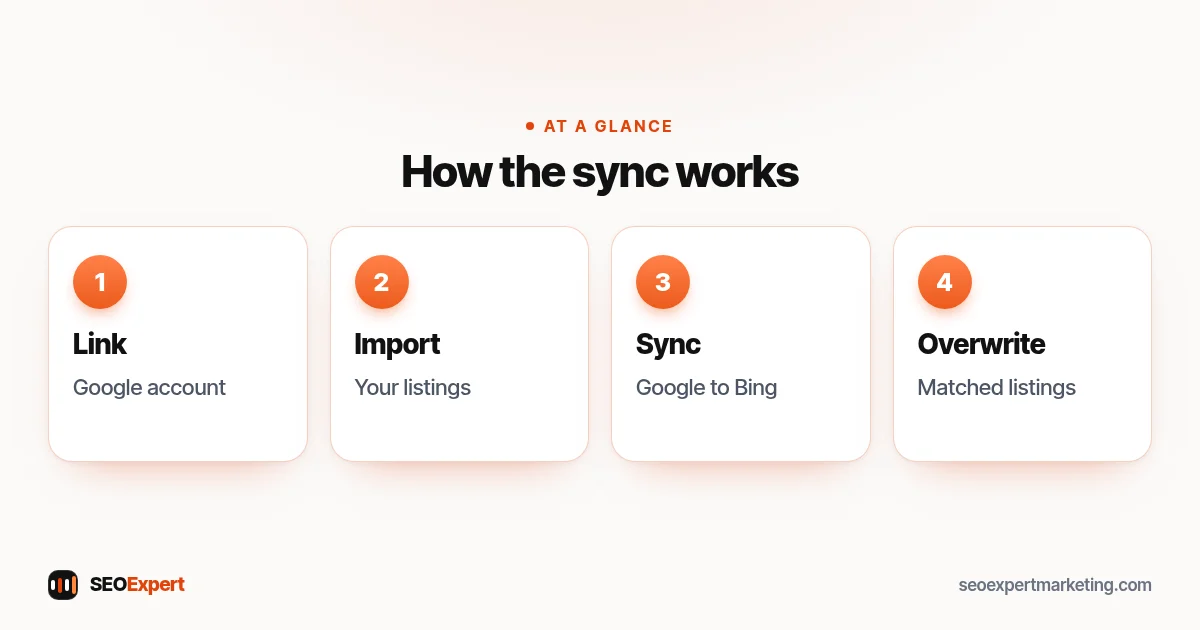
Microsoft's Bing Places for Business help describes it like this: you can link your Google account to your Bing Places account to import your Google business listing, saving the time of recreating it by hand. Once your Google account is linked, changes made to listings in your Google account will update your Bing listing the next time a sync is performed. If listings are matched, Bing will use Google data to overwrite the Bing Places listing information. If your listings are new, Bing will create new listings in Bing Places.
In other words, Google is the source and Bing follows: Microsoft only describes changes going from Google to Bing. Microsoft's help also describes it as a free Bing service that lets businesses claim existing listings or add new ones, and the old bingplaces.com address now redirects to bing.com/forbusiness.
The advantages of syncing
- Speed. Your Google business listing comes across without recreating it by hand.
- Consistency. Microsoft says Bing verifies submitted details by comparing them with information across search engines, websites and social media, and recommends keeping your name, address, phone number and website consistent everywhere. A synced Bing listing takes its details from your Google profile.
- Less upkeep. Update your Google Business Profile, and the change can reach Bing at the next sync.
- Useful for several locations. Businesses with multiple profiles can bring them across together instead of one by one.
The disadvantages and risks of syncing Bing Places with Google
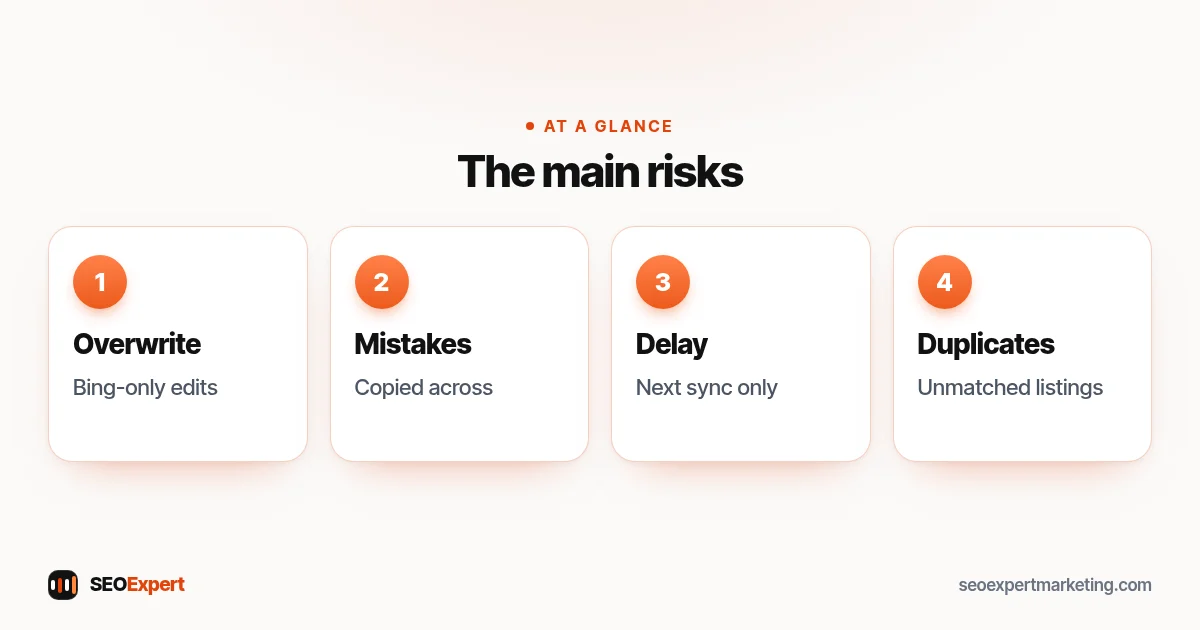
1. Google data overwrites your Bing edits
This is the big one. Because matched listings are overwritten with Google data, anything you change only on Bing can be replaced at the next sync. If you deliberately keep something different on Bing, such as a separate tracking phone number or a different description, syncing may undo it. Before linking, take screenshots of your current Bing listing so you know what to put back. If a Bing-only detail matters, manage that listing by hand instead of syncing.
2. Mistakes copy across
If your Google profile has old hours, an out-of-date phone number, or a business name with extra keywords, the sync can copy the problem to Bing. Fix Google first. Our guide to Google Business Profile optimization covers what to check.
3. Changes aren't instant
Microsoft says changes reach Bing "the next time a sync is performed", so they may not appear straight away. Holiday hours or a temporary closure set in Google may not show on Bing straight away, so check Bing after time-sensitive changes.
4. Duplicate listings
Microsoft says that if your listings are new, Bing will create new listings, so if Bing doesn't recognise an old Bing listing as yours, it may create a second one. That can leave you with an old, unclaimed Bing listing and a new synced one side by side. Search Bing for your business name after importing and deal with any duplicates.
5. Check what came across
Google and Bing are separate platforms. After importing, review your Bing listing field by field, especially categories, attributes and photos, rather than assuming everything came across exactly.
6. Account access becomes linked
Two accounts are involved: the one you use to sign in to Bing Places, and the Google account that manages your profile. If an employee or agency uses a personal account for either, the business can lose access when that person leaves. Use accounts the business owns. Microsoft also notes that signing in with Google or Facebook shares your email address, Google or Facebook ID and name.
Should you sync? A quick decision guide
| Situation | Recommendation |
|---|---|
| Your Google profile is accurate and you manage everything there | Sync: it saves time and keeps details consistent |
| You have no Bing listing yet | Import from Google, then review every field |
| You keep different details on Bing on purpose | Think twice: the sync can overwrite them |
| Your Google profile has problems or a suspension | Fix Google first, or set up Bing manually |
| Someone else's Google account holds your profile | Sort out ownership before linking anything |
How to sync Bing Places with Google safely: 5 checks
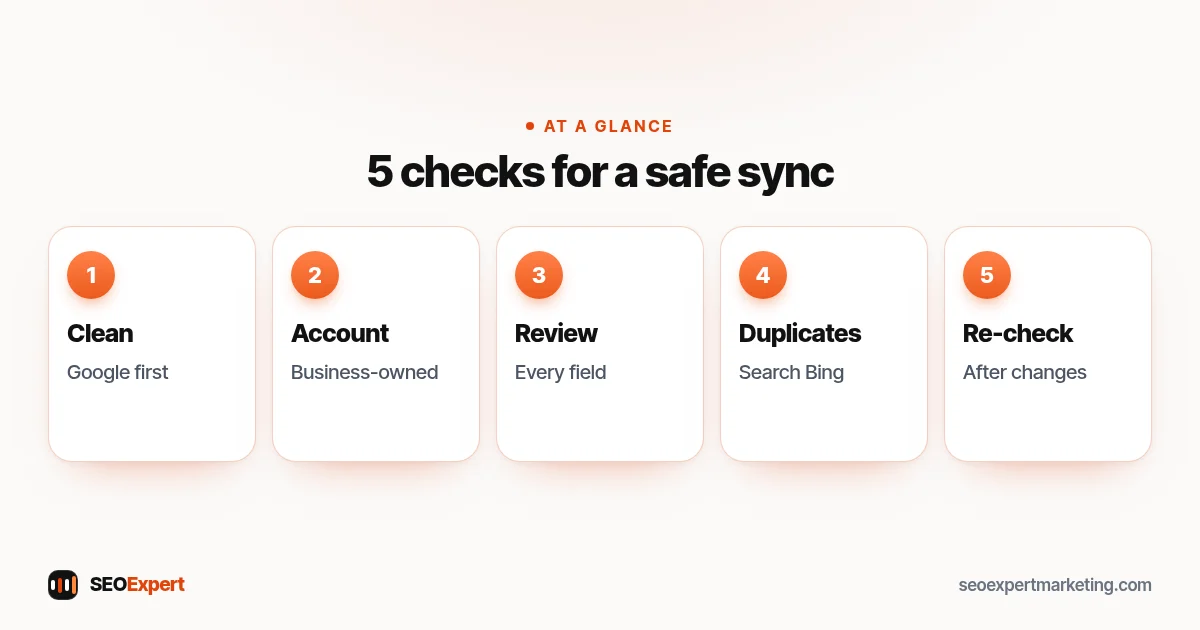
- Clean up your Google profile first. Real business name only, correct category, current hours, phone, website and service area.
- Use an account the business controls to sign in and link, not a staff member's personal account.
- Review the imported listing field by field, including categories, photos and hours.
- Search Bing for duplicates and deal with any old listings.
- Re-check Bing after important changes, such as new hours, a move or a new phone number.
Service-area businesses on Bing
If you travel to customers, Microsoft's help says all businesses must provide a valid address for verification, but service providers can hide their address from search results. After syncing, check that your address is hidden on Bing if it's hidden on Google, and that your service area looks right. Google's own guidelines for representing your business ask service-area businesses to hide their address too. Our guide to service area business SEO covers the rest.
Is Bing Places worth the effort?
For most local businesses, yes, because it's free and quick. These listings show in Bing's local search results. Even if most of your local enquiries come through Google, an accurate Bing listing means people searching on Bing find correct details instead of an old, unclaimed listing. It also adds one more consistent listing to your local citations. Our guide to local SEO citations explains why consistency matters.
For the other listing and tracking tools worth knowing, see our guide to local SEO tools.
If you choose not to sync
You can create or claim your Bing listing manually and keep it separate. The trade-off is upkeep: every time you change hours, phone numbers or services on Google, you must remember to change them on Bing too. Add Bing to the same checklist you use for your other listings, and review it every few months and before holidays.
What to fill in beyond the sync
An import gives you the basics, but a complete listing does more. After syncing, look at the fields your Google profile may not have filled, for example: a clear description of your main services, good photos of your premises, team and work, accurate opening hours for each day, and the correct website link for each location if you have several. Make sure the phone number on the listing is one that someone answers during the hours shown. Small details like these help people choose you once they find you.
Keeping your listings consistent everywhere
Your Google profile and your Bing listing are two of several places where your business details appear. Apple Maps, Facebook, industry directories and local chambers of commerce may also show your name, address and phone number. Keep a simple record of where you're listed and the login for each, and update all of them whenever something changes: a move, a new number, new hours or a new service. Consistent details help customers, and Microsoft says Bing checks your details against search engines, websites and social media when verifying your listing. Our local SEO checklist includes a listings section you can follow.
How often to check your listings
- Monthly: look at your Google profile and your Bing listing as a customer would, and check hours, phone number and photos.
- Before holidays: confirm special hours on both platforms, and allow time for the sync.
- After any change: moves, new numbers, rebrands or new locations need checking everywhere within a few days.
- Every few months: search for your business name on both search engines and their maps to spot duplicates or old information.
Agencies and businesses with several locations
If an agency or a head office manages your listings, agree in writing who owns the accounts and who makes changes. The linked Google account effectively becomes the master copy for every synced location, so a mistake there can spread to many listings at once. Keep the owner login with the business, give the agency the access it needs, and ask for a short note whenever they change hours, phone numbers or categories. For chains and franchises, check each location after the first import, because one unmatched location can create a duplicate that confuses customers in that area. Our guide to SEO for multiple locations covers the wider setup.
Questions to ask before you link
- Is every detail on my Google profile correct today?
- Do I want any detail on Bing to be different from Google?
- Which account will I use, and will the business always have access to it?
- Do I already have an old listing there that might end up duplicated?
- Who will check the listing after big changes?
If your Google details are correct, the business owns the accounts and you don't need anything different on Bing, linking is usually a sensible time-saver.
Example: a dental practice with two locations
Imagine a dental practice with two clinics. Its Google profiles are accurate, but an old Bing listing from years ago still shows a previous phone number. The practice manager cleans up both Google profiles, signs in to Bing Places with an account the practice controls, links the practice's Google account and imports both clinics. She then checks each Bing listing, fixes a category that didn't match, removes the old duplicate and adds Bing to the practice's holiday checklist so hours are checked on both platforms.
Common mistakes
- Syncing a Google profile that still has errors.
- Making edits on Bing and then being surprised when the sync overwrites them.
- Linking a staff member's personal Google account.
- Never searching Bing for old duplicate listings.
- Assuming holiday hours updated on Bing at the same moment as Google.
Want help keeping your listings accurate?
Our local SEO services keep your Google Business Profile, Bing listing and other citations accurate and consistent. To start, ask for a free website analysis.
Bing Places sync: quick answers
Should I sync Bing Places with my Google Business Profile?
If your Google profile is accurate and you manage everything there, syncing saves time and keeps details consistent. If you keep different details on Bing on purpose, be careful: Google data can overwrite them.
What are the disadvantages of syncing Bing Places with Google?
Matched Bing listings are overwritten with Google data, mistakes on Google can copy across, changes only arrive at the next sync, and unmatched listings can create duplicates.
Does Bing Places sync automatically with Google?
Only after you link your Google account, and not instantly. Microsoft says changes made in Google will update your Bing listing the next time a sync is performed, but it doesn't say how often that happens, so check your Bing listing after any important change.
Will syncing delete my Bing Places edits?
It can. Microsoft says that if listings are matched, Bing will use Google data to overwrite the Bing Places listing information.
Can service-area businesses hide their address on Bing?
Yes. Microsoft says all businesses must provide a valid address for verification, but service providers can hide their address from search results.
Is Bing Places free?
Yes. Microsoft describes Bing Places for Business as a free service for claiming or adding business listings.
