An SEO forecasting tool estimates how much organic traffic, and sometimes how many leads or sales, a website could gain if its rankings change. Business owners use a forecast to decide on a budget; agencies use one to set expectations. But every SEO forecasting tool is built on assumptions, and the numbers are only as good as those assumptions. This guide explains how the math works, compares six real options from free spreadsheets to paid platforms, and shows how to build a simple forecast yourself.
What an SEO forecast is, and what it isn't
There are two kinds of SEO forecast. A trend forecast takes your own past traffic and projects it forward, allowing for seasons. An opportunity forecast starts from keywords: how many people search for them, which position you might reach, and what share of searchers would click. Most SEO forecasting tool products do the second kind; spreadsheets are good at the first.
A forecast is not a promise. Google's own advice on hiring an SEO says no one can promise a top ranking, and its SEO starter guide says that "some changes might take effect in a few hours, others could take several months." A useful forecast shows a range and the assumptions behind it, so you can check them later.
How an SEO forecasting tool does the math
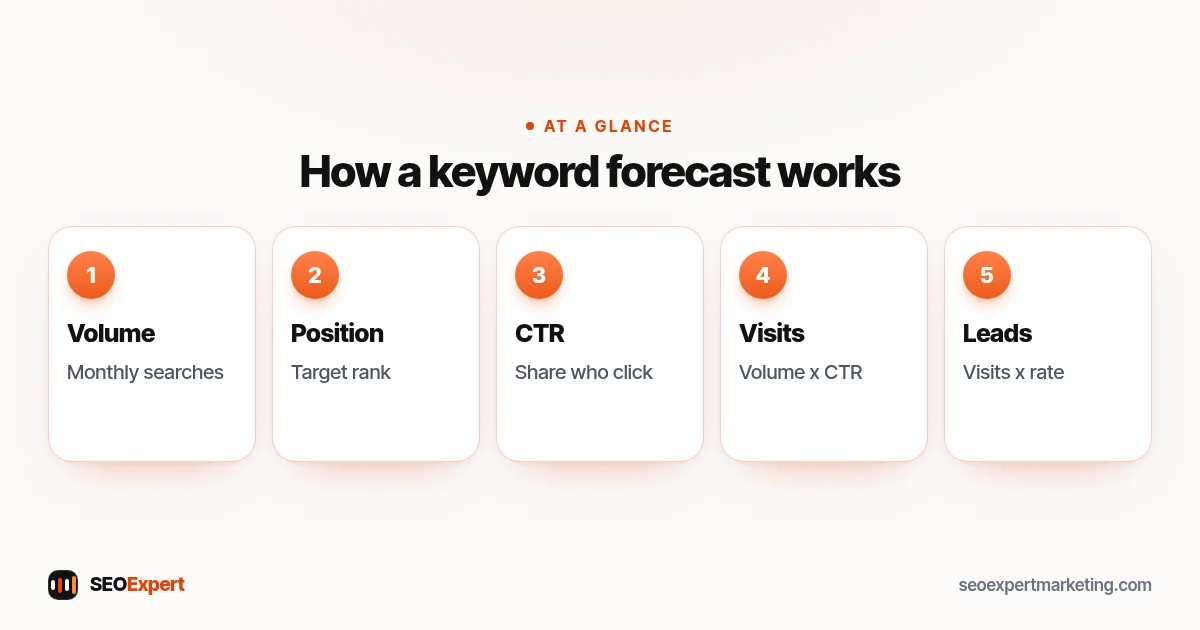
Almost every SEO forecasting tool uses the same basic chain:
- Search volume: how many times a keyword is searched per month.
- Target position: where you expect to rank, and by when.
- Click-through rate (CTR): the share of searchers who click a result at that position.
- Visits: volume multiplied by CTR, added up across all your keywords.
- Leads or revenue: visits multiplied by your conversion rate and, for shops, average order value.
Each step in an SEO forecasting tool adds uncertainty. Search volume is an estimate: Semrush, for example, calculates it as the total searches over the past 12 months divided by 12, so a seasonal keyword can be far above or below that figure in a given month. Google's Keyword Planner also averages searches over 12 months by default and rounds its numbers. Target positions are a judgment call. And CTR, as the next section shows, is the weakest link.
The CTR problem: studies disagree
The click rate you assume for each position changes a forecast more than anything else, and published studies give very different answers:
- Backlinko (last updated April 2025, 12.2 million search queries from Search Console accounts, data provided by Semrush) found that the top result has an average CTR of 27.6%, and that the top three results get 54.4% of all clicks.
- First Page Sage (September 2026, 3.67 billion impressions from 1,184 domains) gives a blended CTR of 7.1% for position one, 3.0% for position two, 1.7% for position three and 0.2% for position ten. Without an AI answer on the page, position one gets 22.6%; with one, 3.6%.
- Pew Research Center (July 2025, 900 US adults, 68,879 searches) found that people who saw an AI summary clicked a regular result in 8% of visits, against 15% for people who didn't see one.
- Ahrefs (February 2026, 300,000 keywords, December 2023 against December 2025) linked AI Overviews to a 58% lower average CTR for the top-ranking page, up from 34.5% in its 2025 study.
- Seer Interactive (November 2025) measured organic CTR on queries with AI Overviews falling 61% between June 2024 and September 2025, and 41% on queries without them.
The lesson is simple: a forecast that uses an old CTR curve can be several times too high. The best SEO forecasting tool setup uses your own click rates from Google Search Console where you have them, and shows low, expected and high cases where you don't. You can read the Pew Research study in full; our guide to AI Overviews and SEO explains what you can do about them.
Six SEO forecasting tool options compared
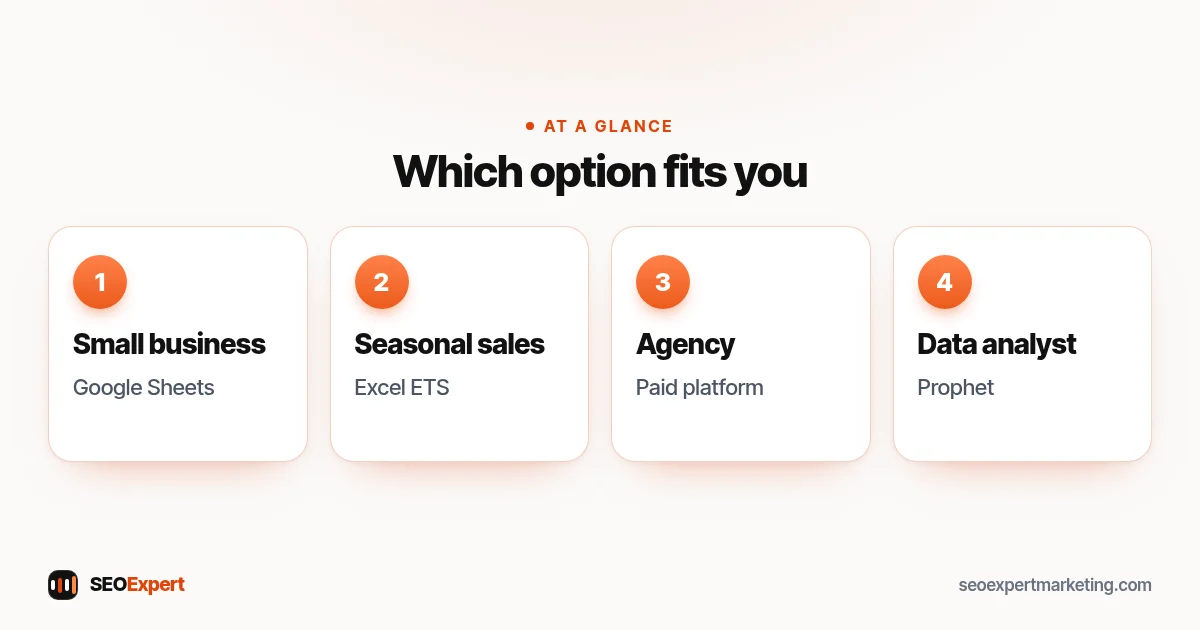
| Option | Type | What it forecasts | Good for |
|---|---|---|---|
| SEOmonitor Forecast | Paid platform | Extra non-brand traffic, conversions and revenue for a ranking goal | Agencies and in-house teams |
| seoClarity | Paid platform (demo) | Traffic potential and ROI from volume, CTR and conversion data | Teams reporting ROI |
| Ahrefs Traffic Potential | Paid keyword tool | Traffic the top page gets for a topic: a ceiling, not a timeline | Choosing topics |
| Google Sheets | Free spreadsheet | Straight-line or growth trends from your own data | Small businesses |
| Excel Forecast Sheet | Spreadsheet | Seasonal trend with upper and lower bounds | Seasonal businesses |
| Prophet | Free code library | Seasonal trend with uncertainty ranges | Analysts who code |
We haven't listed a price for each SEO forecasting tool, because they change often and most platforms quote them on request. Check each vendor's own pricing page before you decide.
1. SEOmonitor Forecast
SEOmonitor's Forecast is a dedicated SEO forecasting tool. According to its help center, it uses keyword groups from its rank tracker, how fast those keywords are expected to move, and a ranking target, then estimates the additional non-brand organic traffic you would get. Search volumes are adjusted for year-over-year trends and split by device, and the model allows for searches that don't click organic results. It turns traffic into conversions and revenue using your conversion rate and average order value. You can compare up to five scenarios, set best and worst cases, and see a "Goal Chance" rating from Realistic to Too Ambitious.
2. seoClarity
seoClarity's SEO forecasting tool uses historical data, site analytics and search analytics to forecast traffic potential and ROI. Its page says you can use search volume, a customizable CTR model and your conversion rate data, taking CTR from Google Search Console and conversion rate and order value from site analytics. It also suggests gathering CTR separately for mobile, desktop, brand and non-brand searches. The page speaks to teams that must show stakeholders a return, and offers a free demo and a separate pricing page.
3. Ahrefs Traffic Potential
Ahrefs doesn't present Traffic Potential as a forecast over time. It shows how much traffic the top-ranking page gets for a keyword, which Ahrefs describes as traffic that could be yours if you overtake it. That makes it a useful ceiling when you choose topics, not a month-by-month plan. Ahrefs also shows 12-month average search volume forecasts, which predict searches, not your site's visits.
4. Google Sheets
For many small businesses, the best SEO forecasting tool is a free spreadsheet. In Google Sheets, FORECAST (or FORECAST.LINEAR) predicts a value from a straight-line trend, TREND fits a straight line to your data and extends it, and GROWTH does the same for an exponential trend. Paste in monthly clicks from Search Console and you have a basic trend forecast in minutes. The limit: these functions fit one line and ignore seasons, so use them for steady sites, and use Excel's Forecast Sheet or Prophet if your traffic has busy and quiet months.
5. Excel Forecast Sheet
Excel's Forecast Sheet uses the FORECAST.ETS function, which Microsoft says is based on the AAA version of exponential smoothing. It detects seasonality automatically, can fill in up to 30% of missing points, and adds a confidence interval (95% by default) around each predicted value. That range is exactly what an honest SEO forecast needs. Microsoft's guide to creating a forecast in Excel walks through the steps.
6. Prophet
Prophet is open source software released by Facebook's Core Data Science team, available for Python and R. It takes a table with two columns, a date and a value such as monthly organic clicks, and returns a forecast with upper and lower uncertainty bounds. Its project page says it works best with time series that have strong seasonal effects and several seasons of history. As an SEO forecasting tool, it suits analysts who code; see the Prophet project page on GitHub.
One tool that is often mentioned isn't an SEO forecasting tool at all: Google Ads Keyword Planner's forecasts estimate clicks, cost and impressions for ads, based on your bid and budget. Its search volume data can still feed your own forecast.
How to build a simple SEO forecast for free
You don't need a paid SEO forecasting tool to get a useful answer. Here is a method that works in Google Sheets or Excel:
- Export your history. In Search Console's Performance report, set the date range to the full 16 months it keeps, change the chart view from "Daily" to monthly, then export, leaving out part-months at either end. Save an export every month to build the longer history that seasonal forecasts need. Our Google Search Console guide shows where to find it.
- Separate brand searches. People searching your business name will find you anyway. Filter them out so the forecast measures SEO work, not word of mouth.
- Project the baseline. Use TREND or Excel's Forecast Sheet to see where traffic goes if nothing changes.
- List the opportunity. For the keywords you plan to work on, note the monthly search volume, your current position and a realistic target position. Count only the extra clicks the target position would add, because the clicks you get now are already in your baseline.
- Use your own CTR. In Search Console, look at the click rate your pages already get at similar positions for non-brand searches only (searches for your own name would inflate it), and use it instead of a published curve where you can. Tick the Average CTR and Average position boxes above the chart, then open the Queries table to see both for each search.
- Build three cases. A low, expected and high case, each with its CTR and timing written next to it. Phase the gain in rather than counting it from month one: little or nothing at first, then part of it, and the full figure only once the page holds its target position. A page that doesn't exist yet has no current position or click rate, so use the low case and allow extra months.
- Turn visits into leads. Multiply by your real conversion rate from your analytics or call records.
- Check it monthly. Compare actual clicks with the forecast and adjust the assumptions, not just the numbers.
If you don't have keyword data yet, start with our guide on how to do keyword research.
A worked example (made-up numbers)
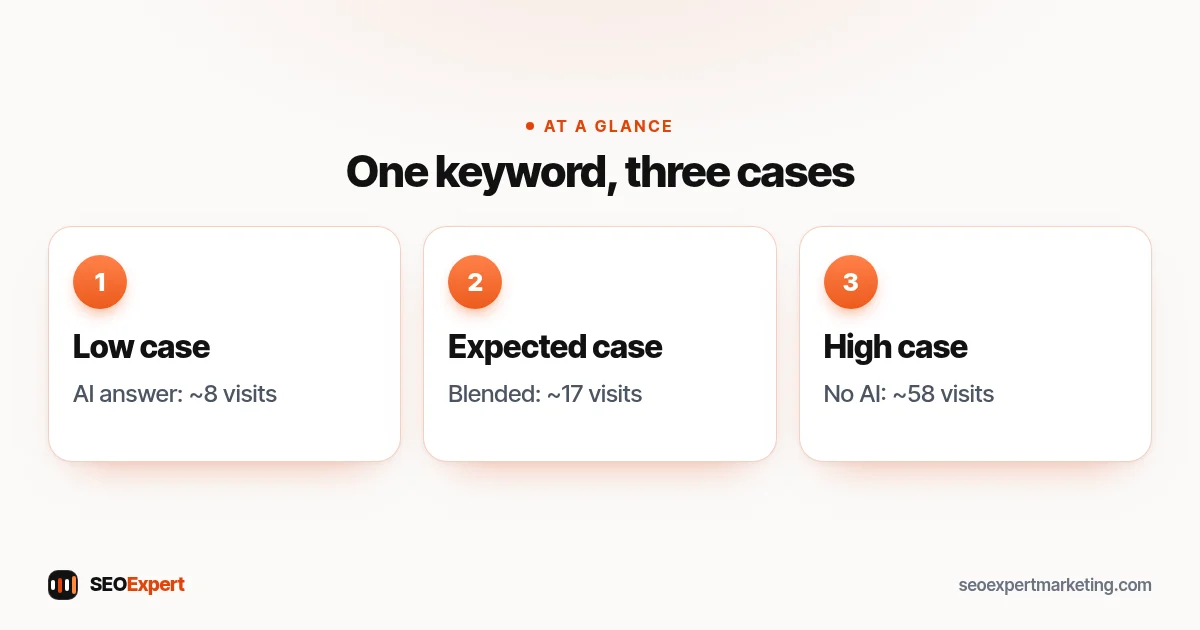
Imagine a plumbing company targeting one keyword with 1,000 searches a month, now at position nine and aiming for position three. Using First Page Sage's 2026 figures for position three, a simple SEO forecasting tool setup would give:
- Low case: an AI answer appears, 0.8% CTR, about 8 visits a month.
- Expected case: blended 1.7% CTR, about 17 visits a month.
- High case: no AI answer, 5.8% CTR, about 58 visits a month.
These are totals at position three; the gain is these figures minus the few clicks the page already gets at position nine. If one visitor in 20 calls (again, a made-up rate), that is roughly 0.4 to 3 calls a month from this keyword. The range is wide, and that is the honest answer. A real SEO forecasting tool adds up dozens of keywords, and the business's own Search Console data narrows the range over time.
What makes SEO forecasts wrong
Even the best SEO forecasting tool can't see these coming:
- Seasons: a 12-month average hides peaks and quiet months.
- AI answers and other search features: they take clicks that older CTR curves assume you'll get.
- Timing: reaching a position takes months, and some pages never get there.
- Competitors: they are working on the same keywords.
- Google updates: ranking systems change, and so do results pages.
- Volume estimates: every keyword tool models its numbers, and tools often disagree.
None of this makes forecasting useless. It means an SEO forecasting tool gives you a planning range, and the plan should change when real data arrives.
Questions to ask about any SEO forecast
Before you trust the output of an SEO forecasting tool or an agency's spreadsheet, ask:
- Which CTR figures does it use, and from what year?
- Does it exclude brand searches?
- Is it a single number or a range?
- How long does it assume the rankings will take?
- How will forecast and actual results be compared each month?
Google suggests asking any SEO what results to expect, in what timeframe, and how success will be measured. If someone promises a fixed position or a fixed number of leads, be careful. Our guides on how long SEO takes and what an SEO report should show help you check the answers.
Does a small business need a paid SEO forecasting tool?
Usually not. If you track a few dozen keywords for one site, a spreadsheet with your own Search Console data does the job, and the free method above takes an afternoon. A paid SEO forecasting tool earns its cost when you manage many sites or thousands of keywords, need scenario planning for clients, or want forecasts tied to rank tracking. Whichever SEO forecasting tool you use, keep the assumptions visible.
To turn a forecast into a budget, our SEO ROI calculator shows how traffic, conversion rate and customer value combine, and our guide to setting an SEO budget explains what to spend.
Want a second opinion on a forecast?
If an agency has given you a forecast, or you have built your own, we can check the assumptions with you against your own Search Console data. See our SEO consulting service, or ask for a free website analysis.
SEO forecasting tools: quick answers
What is an SEO forecasting tool?
It is software or a spreadsheet method that estimates future organic traffic, and sometimes leads or revenue, from search volume, expected rankings, click-through rates and conversion rates, or from your own past traffic trend.
What is the best SEO forecasting tool for a small business?
For most small businesses, a spreadsheet such as Google Sheets or Excel's Forecast Sheet with your own Search Console data. Paid platforms such as SEOmonitor or seoClarity suit agencies and in-house teams.
How accurate are SEO forecasts?
Any SEO forecasting tool gives estimates. Published click-rate studies differ widely: Backlinko found a 27.6% CTR for the top result, while First Page Sage's 2026 blended figure is 7.1%. Use ranges and check them against real data each month.
Can I use Google Keyword Planner to forecast SEO traffic?
Not directly. Keyword Planner's forecasts estimate clicks, cost and impressions for Google Ads. Its search volume data can still be one input to your own SEO forecast.
How far ahead should an SEO forecast go?
Keep it to a period you can check against real data, such as the next 6 to 12 months, and widen the range the further out you go.
Should an SEO agency promise forecast numbers?
No. A forecast should be a range with clear assumptions. Google's advice on hiring an SEO says no one can promise a top ranking.
