
An SEO content audit is a page-by-page review of everything on your website, to decide what to keep, what to update, what to merge and what to remove. It answers simple questions with real data: which pages bring visitors and enquiries, which are out of date, and which compete with each other for the same search. For most small business sites, an SEO content audit fits in one spreadsheet and takes a day or two. This guide walks through 7 practical steps, the free tools you need, and what Google itself says about deleting old pages.
What is an SEO content audit?
A technical audit asks whether search engines can crawl, index and load your pages. An SEO content audit asks whether those pages deserve to rank: are they useful, accurate and clearly about one topic, and do they help your business? The two overlap, but they need different tools. Our guide to what an SEO audit covers explains the full picture, and the technical SEO audit checklist covers the crawling side.
The output of an SEO content audit is a list of every URL with one decision next to it, plus a short plan in order of value. If you finish with a long report and no decisions, the audit isn't done.
When to do an SEO content audit
- Traffic has dropped and you want to know which pages lost visits.
- Before a redesign or a move to a new platform, so you don't carry weak pages over or lose good ones.
- Before a new content plan, so you build on what already works instead of writing near-copies.
- When several pages target the same search and none of them ranks well.
- Once a year as routine upkeep, even when nothing looks wrong.
Tools you need
You can run a complete SEO content audit with free or low-cost tools:
- Google Search Console: clicks, impressions and average position for each page. It keeps 16 months of data, enough to compare recent months with the same months last year.
- Your analytics tool: enquiries, calls, sales or form fills for each page.
- A crawler: a list of every URL with its title, status and word count. The Screaming Frog SEO Spider crawls up to 500 URLs free; its paid licence was listed at £199 a year on 28 October 2026.
- A spreadsheet: one row per URL, one column per fact, and a decision column at the end.
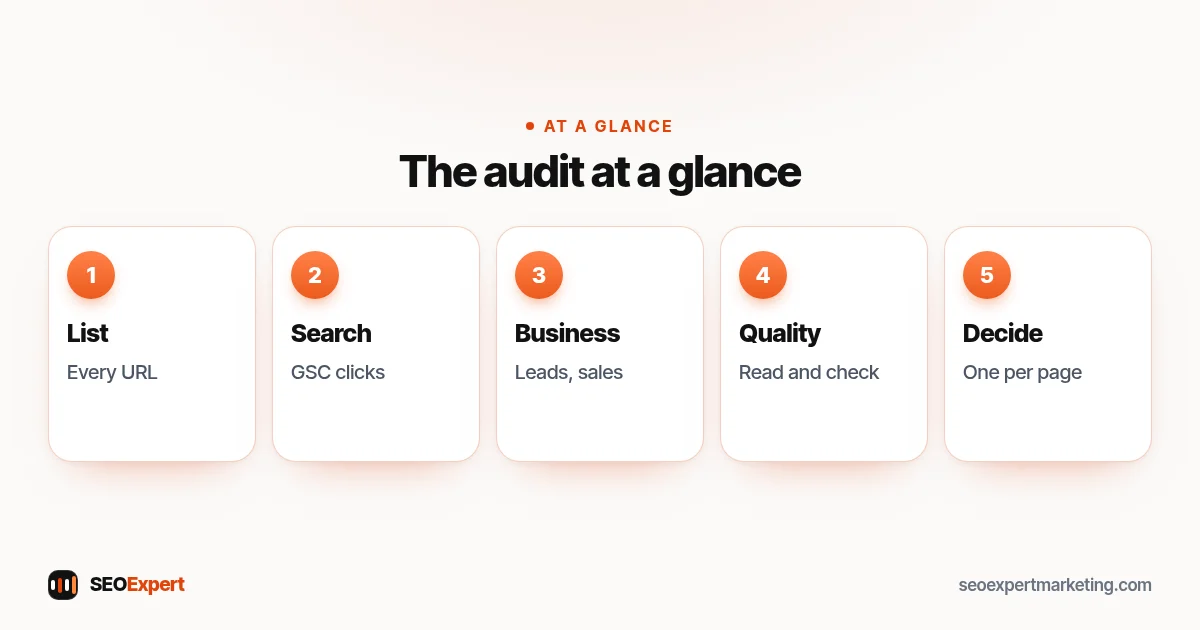
How to do an SEO content audit in 7 steps
Step 1: List every page
Start with a full inventory. Combine your XML sitemap, a crawl of the site and an export from your CMS, because each one can miss pages the others find. For each URL, note the title, the type of page (service, blog post, location, product, legal), the date it was last really updated and the main search it should answer. Leave out pages you never want in search, such as thank-you pages and admin screens, but list them somewhere so they aren't forgotten.
Step 2: Add search data
In Search Console, open the Performance report, pick the last 12 months and export the Pages tab. Add clicks, impressions and average position to each row. Then use the Compare option in the date filter to set the last 3 months against the same 3 months a year earlier, to see which pages are growing and which are fading. A page with many impressions but few clicks may need a better title or description; a page with no impressions at all may not be indexed or may not match any real search.
Pages with no impressions don't appear in the export at all, so in an SEO content audit a URL from your Step 1 list with no match there had none. Paste it into the URL Inspection tool at the top of Search Console to check whether Google has indexed it.
Then open Search Console's Links report and export the top linked pages, which shows which of your pages have the most links from other sites. Add that count to each row. A page with links from other sites should never just disappear: if you retire it, 301 it to the closest matching page so those links still lead somewhere useful.
Step 3: Add business data
Search numbers alone can mislead. Add the enquiries, calls, bookings or sales each page leads to, from your analytics or your own records. A service page with 30 visits a month and 4 enquiries is worth more than a blog post with 900 visits and none. This column stops you from removing pages that quietly bring in work.
Step 4: Check quality by hand
Read each important page. Google's guide to helpful, people-first content lists questions worth asking, such as whether the content provides original information or analysis, and whether it has easily verified factual errors. Also check that prices, opening hours, laws, screenshots and contact details are still right, and that the page answers what a customer would ask next.
Step 5: Find pages that compete
Look for two or more pages written for the same search, such as two posts about choosing a bookkeeper. In Search Console, add a query filter to the Performance report, choose Exact query, type one search and open the Pages tab. If two or more of your URLs get impressions for it and none of them ranks well, they're probably splitting the attention. Usually one should become the main page and the others should be merged into it; if a weaker page really answers a different question, re-focus it on that question instead.
Step 6: Decide an action for each page
Give every row one of five decisions:
| Decision | When to use it | What to do |
|---|---|---|
| Keep | Accurate, useful and performing | Leave it; add internal links from newer pages |
| Update | Right topic, but outdated or thin | Refresh facts, fill gaps, keep the same URL |
| Merge | Two or more pages answer the same question | Combine into the stronger URL, 301 the others |
| Redirect | No longer needed, but has links or visits | 301 to the closest matching page |
| Remove | No value, no visits, no links, no close match | Delete it and let the URL return 404 or 410 |
Google's documentation on HTTP status codes says all 4xx errors except 429 are treated the same, and that indexed URLs returning one are removed from the index. It also says Google uses a 301 redirect as a strong signal that the target should be processed. Our guide to 301 redirects explains how to set them up safely.
One variation on Keep in an SEO content audit: some pages help visitors but don't need to appear in search, such as login pages, thin tag archives or internal search results. Keep them live and add a noindex tag instead of deleting them. Google's noindex documentation notes that the page must not be blocked by robots.txt, or Google never sees the tag.
Step 7: Plan the work and measure it
Sort the decisions by value: first, pages that already bring enquiries and could do more, such as service pages ranking just below the top results; then merges and redirects that fix competing pages; then pages with good impressions and weak clicks; then the rest. Make the changes in small batches, note the date of each batch, and compare the same pages a few weeks and a few months later. Google's SEO starter guide says some changes can take effect in a few hours and others can take several months, and suggests waiting a few weeks before judging the results. Don't judge an SEO content audit by the first week.
After each merge, redirect or removal, update your internal links so they point straight to the final URL instead of through a redirect, take old URLs out of the XML sitemap, and check that no redirect leads to another redirect. Keep a simple redirect list in the spreadsheet so the next audit starts from it.

Don't delete pages just to help rankings
Removing content is sometimes right, but not as a ranking trick. In its list of warning signs, Google's helpful content guide includes "removing a lot of older content primarily because you believe it will help your search rankings overall by somehow making your site seem 'fresh'", and answers its own question: "No, it won't." Old isn't the same as bad: a clear guide from three years ago can still be the best answer.
Low traffic isn't the same as low value either. Your contact page, about page, privacy policy and service pages for rare but profitable jobs may get few visits and still matter. Remove a page only when it has no visitors, no links, no business role and no close page to send people to. When in doubt, update or merge instead.
Don't fake freshness
An SEO content audit often ends with many updates, and it's tempting to change every date to today. Among its warning signs of search engine-first content, Google asks: "Are you changing the date of pages to make them seem fresh when the content has not substantially changed?" Change the "updated" date only when you've really improved the page: new facts, new sections, corrected advice or fresh examples.
SEO content audit spreadsheet: the columns to use
Keep the sheet simple enough to finish. These columns cover most small sites:
- URL and page type
- Main search the page should answer
- Last real update
- Clicks, impressions and position for the last 12 months, and the change in the last 3 months against the same 3 months a year earlier
- Enquiries or sales from the page
- Links in from other sites, from Search Console's Links report
- Quality notes: outdated facts, missing answers, thin sections
- Overlaps with other URLs
- Decision, owner and due date
If you already use our SEO audit template, add these columns to its content section rather than starting a new file.
Search Console only keeps 16 months of data, so save each finished SEO content audit sheet with the date in the file name. Next year you'll be able to compare a full 12 months with the year before, which Search Console alone can't show.
Example: a content audit for a small accountancy firm
Here's an illustrative example of how the decisions work on a typical 40-page site. Three yearly posts about tax deadlines from past years all target the same search, so they're merged into one deadlines page that is updated each year, and the old URLs are redirected to it. Two pages about bookkeeping services overlap, so the weaker one is merged into the stronger. A page about a 2021 event has no visits or links, so it's removed. The service pages that bring enquiries are kept, with new answers to common client questions and links from the blog posts that mention them.
The result is fewer, stronger pages, each with one clear job, and a short list of updates the firm can schedule over the next quarter.

How often to run an SEO content audit
For a small site, a full SEO content audit once a year is usually enough, with a quick check of your 10 most important pages every quarter. Larger sites with hundreds of posts can audit one section at a time, such as the blog one quarter and the service pages the next. Also run one before any redesign, platform move or big change in what you sell.
Common SEO content audit mistakes
- Judging by traffic alone and removing pages that bring enquiries.
- Deleting without redirects when the page had links or visits.
- Updating dates without updating content.
- Merging pages that answer different questions, which leaves one confused page instead of two clear ones.
- Never finishing: an audit with no decisions or due dates changes nothing.
- Forgetting internal links: after merging or updating, link the improved page from related ones. See our guide to internal linking.
Need help with an SEO content audit?
We review every page against search and business data and give you one clear decision per URL, with the updates written if you want them. See our SEO audit services and SEO content writing, read how we plan an SEO content strategy, or ask for a free website analysis.
SEO content audit: quick answers
What is an SEO content audit?
An SEO content audit is a review of every page on your site using search data, business data and a manual quality check, ending with one decision per page: keep, update, merge, redirect or remove.
How long does an SEO content audit take?
It depends on the size of the site. A small business site with a few dozen pages can often be done in a day or two in a spreadsheet; sites with hundreds of pages take longer and are easier to audit one section at a time.
How often should I do a content audit?
Once a year suits most small sites, with a quick check of the most important pages every quarter. Also run one before a redesign or a platform move.
Should I delete old blog posts?
Not just because they're old. Google says removing lots of older content won't help rankings by making your site seem fresh. Update useful posts, merge overlapping ones, and remove only pages with no visits, links or business role.
What's the difference between a content audit and a technical SEO audit?
A technical audit checks crawling, indexing, speed and site structure. A content audit checks whether each page is useful, accurate, unique and helping the business.
What tools do I need for an SEO content audit?
Google Search Console for search data, your analytics for enquiries or sales, a crawler for the list of URLs, and a spreadsheet to record a decision for each page.
