
A search query is the exact words someone types or speaks into a search engine, such as "boiler repair cost", "dentist open saturday near me" or "how long does a roof last". Every visit you get from Google starts with one. Understanding search queries, what they mean, how they differ from keywords and how to read the ones your own site receives, is one of the most useful things a business owner can learn about SEO. This guide explains it in plain English, with examples.
What is a search query?
When people ask "what is a query", the simple answer is: a question or request sent to a system. In a database, a query asks for records. In search, a search query is the text a person enters into Google, Bing, YouTube or another search engine to find something. It can be one word ("plumber"), a phrase ("emergency plumber Leeds") or a full question ("why is my boiler losing pressure?").
So the meaning of queries in SEO is straightforward: they are the real words real people use. They are messy, often misspelled, frequently longer than you expect and sometimes surprising. Google said when it introduced its BERT language system that 15 percent of the queries it sees every day are new, searches it had never seen before. That is why no keyword list ever covers everything people search.
Search query vs keyword: what's the difference?
The two words are often used as if they mean the same thing, but there is a useful difference:
| Search query | Keyword | |
|---|---|---|
| Who creates it | The searcher | The marketer or business |
| What it looks like | Exactly as typed, typos and all | A tidy phrase that stands for a group of searches |
| Example | "best plumber near me open now cheap" | "emergency plumber" |
| How you use it | To learn what people actually want | To plan and optimize pages |
One keyword can match hundreds of different search queries. "Emergency plumber" covers "emergency plumber near me", "24 hour plumber", "plumber for burst pipe tonight" and many more. You optimize a page for a keyword; you learn from every search query that reaches it. Our guide to keyword research explains how to turn queries into a keyword plan.
The 4 main types of search query
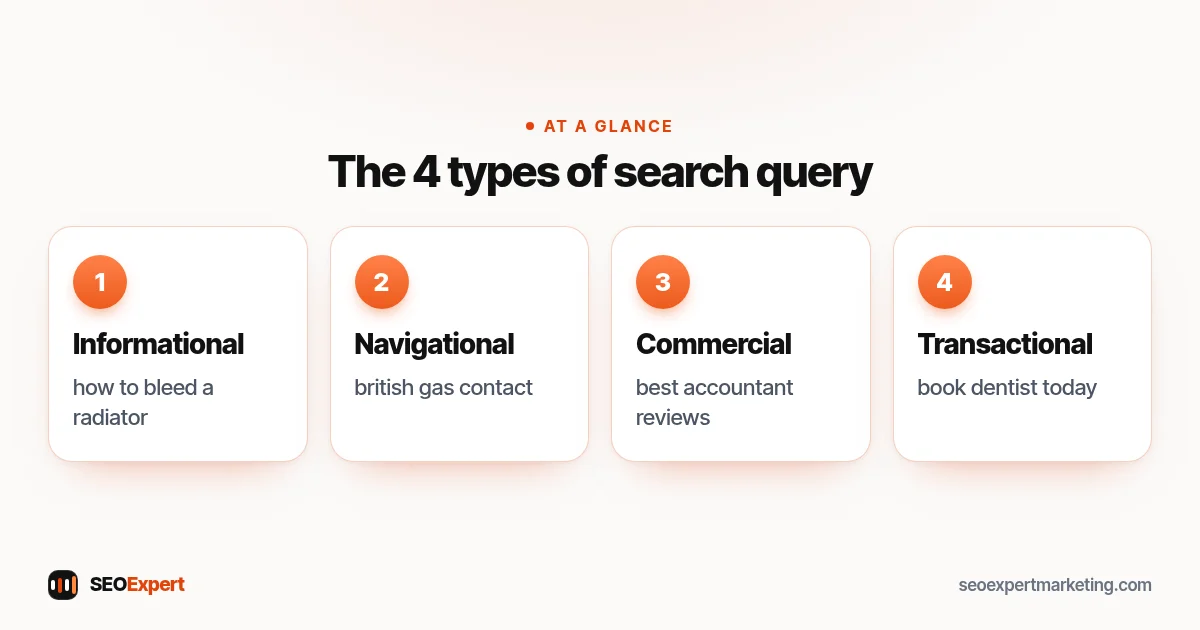
SEO professionals usually sort each search query by the searcher's purpose. The names vary a little, but these four cover almost everything:
1. Informational queries
The person wants to learn or fix something. "How to bleed a radiator", "what is a root canal" and "is SEO worth it" are informational. These are the largest group of searches. They suit guides, how-to articles and clear answers.
2. Navigational queries
A navigational query is a search for a particular website, brand or page: "facebook login", "british gas contact", "seoexpertmarketing blog". The person already knows where they want to go and uses Google as a shortcut. If people search your business name, you want your own site and your Google Business Profile to be the first things they see.
3. Commercial queries
The person is comparing options before choosing: "best accountant for small business", "invisalign vs braces", "roofing company reviews". These suit service pages, honest comparisons and pages with real reviews.
4. Transactional queries
The person is ready to act: "book dentist appointment", "buy running shoes", "plumber near me". These are the most valuable searches for most businesses. Our guide to high intent keywords explains how to find them and which pages should target them.
Other ways to describe a search query
- Short-tail vs long-tail: "plumber" is short-tail; "plumber to fix a leaking shower in Bristol" is long-tail. Long-tail queries are more specific, usually easier to rank for and often closer to a sale.
- Local queries: any search with a place in it, or where Google assumes the person wants something nearby, such as "coffee shop" or "vet near me".
- Question queries: searches phrased as a question. They often trigger "People also ask" boxes and featured snippets.
- Branded vs non-branded: branded queries include your business name; non-branded ones don't. Growth in non-branded queries shows new people are finding you.
- Voice queries: spoken searches tend to be longer and more conversational: "where's the nearest pharmacy that's open now?".
Google matches meaning, not just exact words. Our guide to LSI keywords explains what that means for your writing.
What happens when you enter a search query
Google's How Search Works pages describe the basic process. In simple terms:
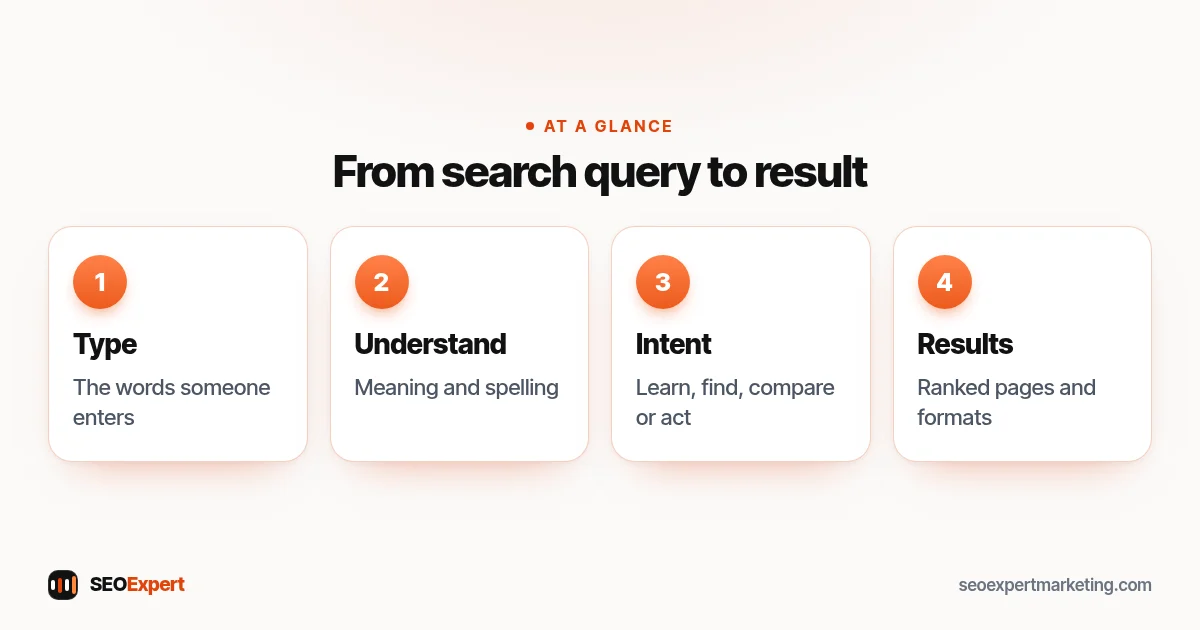
- Understanding the words. Google works out what the query means, including spelling mistakes, synonyms and the context of each word.
- Working out the intent. Is the person looking for a fact, a business, a product or a place? Is the answer likely to be local or time-sensitive?
- Finding matching pages. Google looks through its index for pages that are relevant to the query.
- Ranking them. It orders the results using many signals, such as relevance, quality, usability and, for local searches, distance and prominence. Our guide to SEO ranking factors covers them.
- Showing the best format. Depending on the query, that might be a map pack, images, videos, a featured snippet or an AI-generated overview with links.
This is why two searches that look similar can show very different results. "Pizza" usually brings a local map; "pizza dough recipe" brings recipes and videos.
Zero results and "no results" queries
Sometimes a search finds little or nothing useful. On your own website, searches in the site's search box that return zero results are a goldmine: they tell you what visitors expected to find and couldn't. If people keep searching your site for "prices" or "opening hours" and get nothing, add that information. On Google, a search query with weak results is an opportunity too: if the top pages don't answer the question well, a clear, helpful page has a real chance.
How to see the search queries that bring people to your site
You don't need to guess. The free Search Console performance report shows the search queries that made your pages appear in Google, with clicks, impressions, click-through rate and average position for each one.
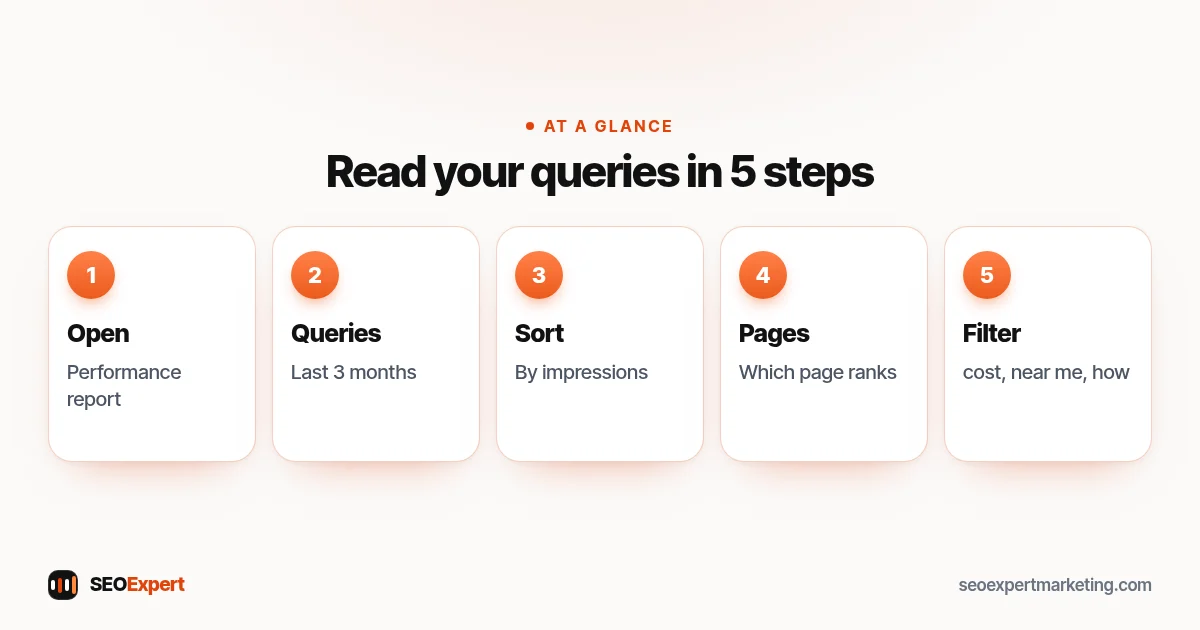
- Open Search Console and choose Performance → Search results.
- Stay on the Queries tab and set the date range to the last 3 months.
- Sort by Impressions to see where Google already shows you.
- Click a query, then switch to the Pages tab to see which page ranks for it.
- Filter queries with words like "cost", "near me", "how" or your town name to group them by purpose.
Our step-by-step Google Search Console guide explains the rest of the tool.
What to do with your search query data
- Queries in positions 8 to 30: Google already links your page with them. Improve that page: answer the query more clearly, add missing details and link to it from related pages.
- High impressions, low clicks: rewrite the page title and meta description so they match what people searched. Our guide to writing meta descriptions helps.
- The wrong page ranks: if a blog post ranks for a buying search, link clearly from it to the right service page, or strengthen the service page.
- Questions you don't answer yet: add them to an FAQ section or write a guide.
- Services you don't mention: if people find you for something you do offer but never describe, give it a section or its own page.
Worked example: a garden landscaper
A landscaper checks the last 3 months of search query data and sees three groups. "Garden design ideas small garden" has many impressions but few clicks: it's informational and reaches an old blog post. "Landscaper [town]" sits at position 14 and reaches the home page. "Artificial grass installation cost" sits at position 22 and reaches a general services page.
The plan writes itself. Build a proper landscaping page for the town, with real photos and areas covered. Create a separate artificial grass page with a price range and what's included. Update the blog post with better ideas and a link to the design service. Three changes, all based on real searches, not guesses.
How search queries are changing
People search differently than they did a few years ago. Queries are getting longer and more conversational, partly because of voice assistants and partly because people now expect search engines to understand full questions. Instead of "roofer price", someone might type "how much does it cost to replace a few roof tiles on a terraced house".
AI features change what happens after the query too. For some searches, Google shows an AI-generated overview with links to sources above the normal results, and many people now ask the same kind of question in tools like ChatGPT or Perplexity. The basics don't change, though. The pages that get shown and cited are the ones that answer the question clearly, come from a business that is easy to verify and are kept up to date. Our guide to SEO content strategy shows how to plan pages around these questions.
For a small business, the practical lesson is simple: write the way your customers talk. Use their words in your headings, answer their real questions near the top of the page and include the details they need to choose you: prices or price ranges, areas covered, how long the work takes and how to get in touch.
Search queries in Google Ads
If you also run Google Ads, the search terms report shows the actual queries that triggered your ads. It's worth reading even if you mostly care about SEO. Queries that bring enquiries from ads are often great topics for an organic page, and queries that waste money can be added as negative keywords. Our comparison of SEO vs PPC explains how the two work together.
Common mistakes with search queries
- Writing for the keyword tool, not the person. A query is a person with a problem. Answer the problem.
- Ignoring small numbers. A search query with 10 impressions a month can still bring your best customer.
- Repeating the exact query everywhere. Use it naturally where it fits; Google understands close variations.
- Never checking. Queries change with seasons, news and new services. Look at your data once a month.
Want help reading your search queries?
Our keyword research service turns your real search query data into a clear page plan. To start, ask for a free website analysis and we'll show you which searches already find you and where the quick wins are.
Search queries: quick answers
What is a search query in simple terms?
A search query is the exact words someone types or speaks into a search engine to find something, such as "emergency plumber near me" or "how to fix a dripping tap".
What is the difference between a search query and a keyword?
A search query is what a person actually types, typos and all. A keyword is the tidy phrase a business chooses to target, and one keyword can stand for many different queries.
What is a navigational query?
A navigational query is a search for a specific website, brand or page, such as "facebook login" or a company's name. The person already knows where they want to go.
What are the 4 types of search queries?
Informational (to learn), navigational (to reach a site), commercial (to compare options) and transactional (to buy, book or call).
Where can I see the search queries for my website?
In Google Search Console, under Performance, on the Queries tab. It shows clicks, impressions, click-through rate and average position for each search query.
Why are some of my search queries hidden?
Search Console leaves out some rare queries to protect searchers' privacy, so the total of the queries you see can be lower than your total clicks.
