A backlink is a link on another website that points to a page on your website. If a local newspaper writes about your bakery and links to your site, that link is a backlink for you. Backlinks are one of the oldest signals search engines use to find pages and judge how trusted they are, and they still matter today. This guide explains the backlink meaning in plain English, the different types, what makes a good one and how to manage the links that point to your site.
Backlink meaning: a simple definition
Google's own Search Console Links report puts it simply: a backlink is a link on a page from another site that links to a page on your site. It "links back" to you. That is where the name comes from. People also call them inbound links, incoming links or external links to your site.
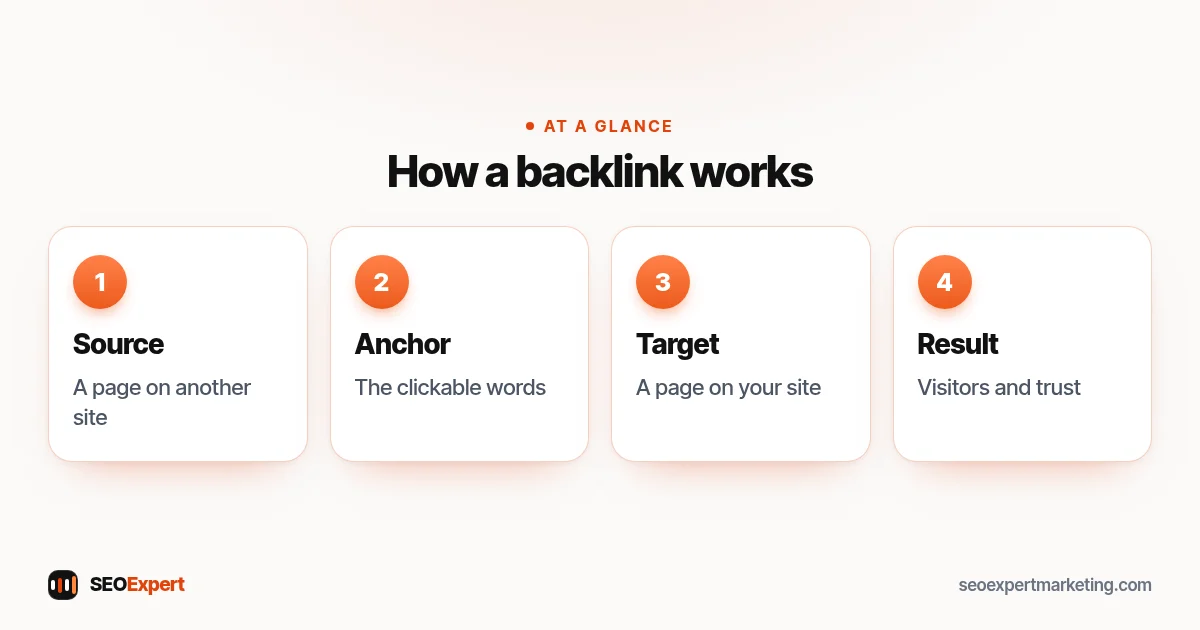
Every backlink has three parts:
- The source page: the page on the other website where the link sits.
- The target page: the page on your site the link points to, such as your home page, a service page or a blog post.
- The anchor text: the clickable words, for example "emergency plumber in Leeds" or "this guide".
A link from one page of your own site to another page of your site is not a backlink. That is an internal link, and it matters too. Our guide to internal linking for SEO explains how to use those well.
Why backlinks matter for SEO
Backlinks help in three ways:
- Discovery. Search engines follow links from page to page. A backlink from a page Google already knows helps it find your page sooner.
- Trust and relevance. A link from a respected, related website is a sign that others find your page useful. A link from a builders' trade association to a builder's site says something real about that builder.
- Visitors. A good backlink sends people, not just signals. A link from a local events page or a supplier's "where to buy" page can bring customers directly.
Links are only one of many signals, though. A page with great backlinks that doesn't answer the search, loads slowly or looks untrustworthy will still struggle. Our guide to SEO ranking factors shows where links fit among the rest.
The main types of backlink
Followed links
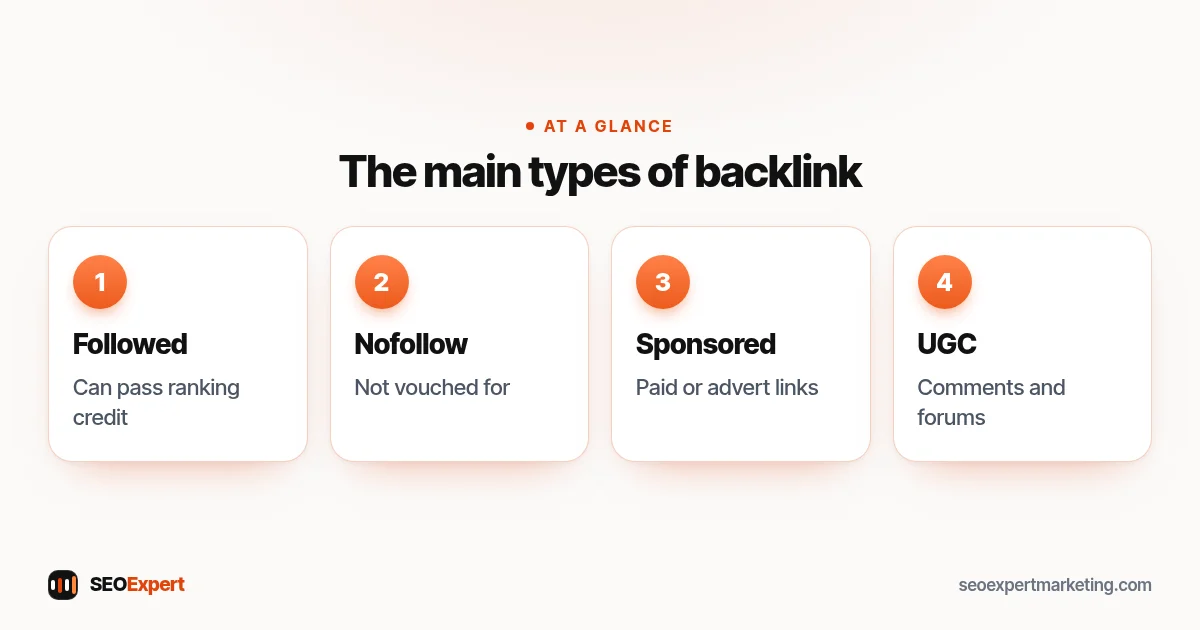
A normal link with no special attribute. It can pass ranking credit to the target page. Most editorial links, written by a person because they wanted to point readers to you, are followed links.
Nofollow, sponsored and UGC links
Website owners can add a rel attribute to tell Google more about a link. Google's guide to qualifying outbound links describes three values:
| Attribute | What it's for | Example |
|---|---|---|
| rel="sponsored" | Adverts and paid placements | A paid listing or sponsored post |
| rel="ugc" | User-generated content | Comments and forum posts |
| rel="nofollow" | Other links the site doesn't want to vouch for | A link the owner doesn't fully trust |
A nofollow or sponsored backlink is still worth having if it sends real visitors or gets your name in front of the right people. It just isn't meant to pass ranking credit in the same way.
Editorial, earned and created links
- Editorial links: someone links to you because your page is useful, such as a journalist citing your price guide.
- Relationship links: suppliers, partners, clubs you sponsor and associations you belong to.
- Profile and directory links: business listings, social profiles and directories. Good local directories help people find you; mass low-quality directories don't. Our guide to local SEO citations covers which listings are worth it.
- Self-placed links: links you add yourself in comments, forums or profiles. Fine when genuinely helpful, but they carry little weight and are easy to overdo.
What makes a good backlink?
Not every link is equal. One relevant link from a trusted local source can be worth more than hundreds of random ones. Ask these questions about any link:
- Is the site relevant? A link from a home improvement blog makes sense for a roofer. A link from an unrelated casino site doesn't.
- Is it a real website with real readers? Does it publish useful content, have an audience and look looked after?
- Is the link in the content? A link inside a helpful paragraph usually means more than one hidden in a footer or a long list.
- Does the anchor text read naturally? Your business name, the page title or plain words like "their guide" look natural. The same keyword-stuffed phrase on every link does not.
- Would you want it if Google didn't exist? If the link would bring customers or credibility on its own, it's probably a good one.
Bad backlinks and link spam
Google's spam policies describe link spam as creating links mainly to manipulate rankings. Their examples include buying or selling links that pass ranking credit, excessive link exchanges, automated link building, low-quality directory or bookmark links, and keyword-rich links hidden in widgets or footers across many sites.
That is why we never buy links or use link networks. Our page on white hat SEO explains the difference between safe and risky methods. If you're worried that someone has pointed spammy links at your site on purpose, our guide to negative SEO explains how to check calmly before doing anything.
For the history behind these rules, see our guide to the Google Penguin update and what it means for links today.
Backlink management: how to look after your links
Backlink management means keeping an eye on the links that point to your site, fixing the problems you can fix and earning better ones over time. For a small business it doesn't need to take long. A simple routine once a month is enough.
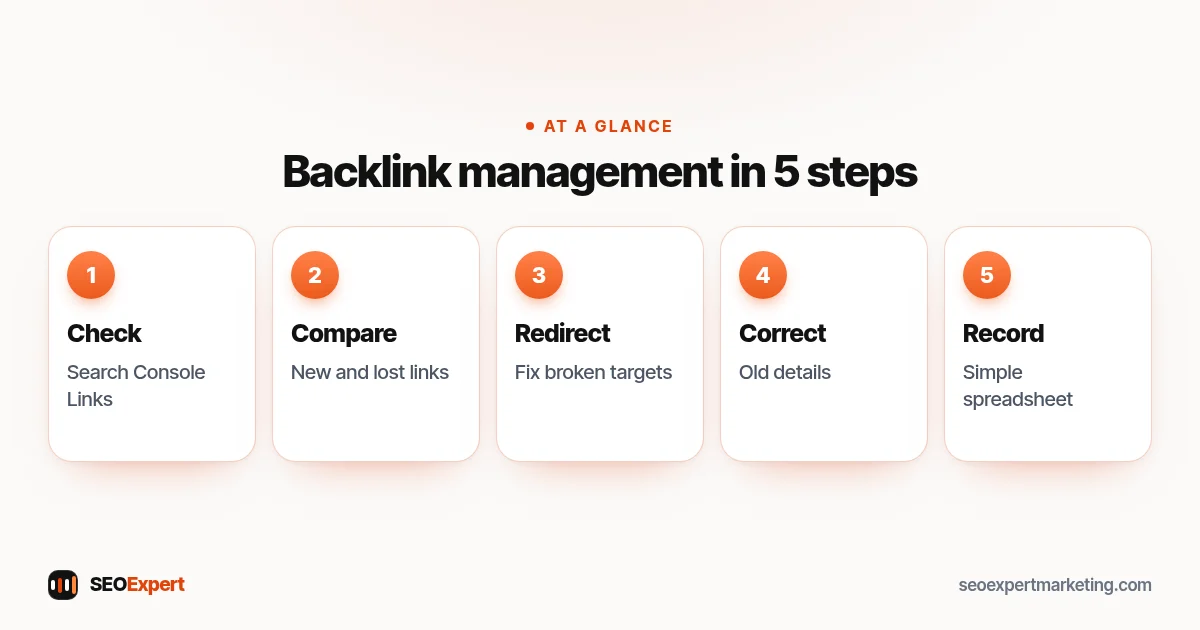
- Check the Links report. In Search Console, open Links and look at "Top linking sites" and "Top linked pages". The report shows a sample of links, not every one, but it's free and comes straight from Google. Our Google Search Console guide shows where to find it.
- Note new and lost links. A link checker tool can show links gained and lost since your last check. A lost link from a good site is worth a polite email to ask why.
- Fix links to broken pages. If other sites link to a page you deleted or moved, add a 301 redirect to the closest live page so the link isn't wasted.
- Correct wrong details. If a listing links to an old address, an old domain or the wrong page, ask the owner to update it.
- Keep a simple record. A spreadsheet with the linking page, the target page, the date found and any notes is enough for most businesses.
Should you disavow bad backlinks?
Usually not. Google's help page on disavowing links says that in most cases Google can work out which links to trust on its own, and that most sites will not need the tool. It suggests disavowing only when you have a considerable number of spammy, artificial or low-quality links and they have caused, or are likely to cause, a manual action. Google also warns that using it wrongly can harm your site's performance.
So for most small businesses, the right backlink management step for a few odd spammy links is to do nothing. Check Search Console for a manual action message instead. If there isn't one, spend your time earning good links.
How to check the backlinks to your site
- Google Search Console (free): the Links report shows top linking sites, top linked pages and top link text.
- Bing Webmaster Tools (free): it has its own backlink report and is worth setting up too.
- Paid SEO tools: tools such as Semrush and Ahrefs crawl the web and show a wider list of links, with the date each link was first seen. Their numbers are estimates and won't match each other exactly.
Looking at your competitors' links is useful too. If three local competitors all have a link from the same trade association or local news site, that's an easy idea for you. Our guide to SEO competitor analysis shows how to compare.
Backlinks vs local citations
Local businesses often mix up the two. A citation is any mention of your business name, address and phone number online, with or without a link. Many citations, such as listings on Yelp, Apple Maps or a trade directory, also include a link to your site, so they count as both. The difference is the job each one does. Citations help Google trust that your business details are correct and consistent. Links from relevant local websites help show that people in your area know and recommend you. A healthy local business usually has both: accurate listings everywhere that matters and a small number of genuine links from local news, clubs, suppliers and partners.
How long do backlinks take to work?
There is no fixed timeline. Google first has to find the linking page again, which can take days or weeks for a small site and longer for a page that is rarely updated. After that, a new link is just one signal among many, so its effect is usually gradual rather than a sudden jump. That is why steady, honest link earning over months works better than a burst of links in one week. Track your important pages in Search Console and judge progress over a quarter, not a few days.
SEO tools often sum up link strength in scores such as Moz's page authority. Our guide to what page authority is explains what those scores do and don't tell you.
How many backlinks do you need?
There is no magic number. It depends on how competitive your searches are and how strong your competitors' links are. A local electrician in a small town may need only a handful of good local links, while a national online shop in a crowded market needs many more. Quality and relevance beat raw counts every time.
Worked example: a family-run bakery
A bakery checks its Links report and finds 14 linking sites. Two are useful: the town's food festival page and a local wedding blog. Six are old directory listings, two of which show a previous address. The rest are random scraper sites that copy content from everywhere.
The plan is short. Ask the two directories to correct the address. Add a 301 redirect, because the wedding blog links to an old "wedding cakes" page that was moved. Ignore the scraper sites, since there is no manual action. Then earn new links the honest way: offer a small prize to the festival, join the local business association and publish a helpful guide to ordering a wedding cake that local planners will want to share.
Common backlink mistakes
- Buying links. It breaks Google's rules and can lead to lost rankings or a manual action.
- Chasing numbers. Hundreds of junk links won't help; a few good ones can.
- Panicking about spam. Every site picks up some odd links. Google ignores most of them.
- Using the same anchor text everywhere. Let people link with natural words.
- Linking to weak pages. Make sure the page you want links to is genuinely worth linking to first.
Want help with your backlinks?
Our link building services earn links from real, relevant websites, with no paid links or networks. To start, ask for a free website analysis and we'll look at the links you already have and where the best opportunities are.
Backlinks: quick answers
What is a backlink in simple terms?
A backlink is a link on another website that points to a page on your website. Search engines use backlinks to find pages and as one sign of how trusted and useful they are.
What is the difference between a backlink and an internal link?
A backlink comes from a different website. An internal link points from one page of your own site to another page of your site.
Are nofollow backlinks useless?
No. A nofollow link isn't meant to pass ranking credit in the same way, but it can still send visitors and help people discover your business.
What is backlink management?
Backlink management means checking the links that point to your site, fixing broken or wrong ones, keeping a record and earning better links over time.
Should I disavow spammy backlinks?
Usually not. Google says most sites never need the disavow tool. It's meant for a large number of artificial links that have caused, or are likely to cause, a manual action.
Can I buy backlinks?
Buying links that pass ranking credit is against Google's spam policies. Paid placements should use rel="sponsored" or rel="nofollow", and we don't sell paid links.
