
This SEO cheat sheet puts the rules that matter most on one page: keywords, titles, content, images, links, technical basics, speed, local SEO and tracking. Each section gives the short version and links to a full guide if you want the detail. Keep it open when you write a new page, check an old one or brief someone who works on your site. Numbers and limits come from Google's own documentation, not guesswork.
How to use this SEO cheat sheet
Use it as a final check, not a replacement for thinking. Before you publish a page, run down the nine sections and tick what applies. For an existing page, start with the sections that cause the most trouble for small businesses: titles, content that matches the search and internal links. If something here is new to you, follow the link to the full guide before you change a live page.
1. Keywords and search intent
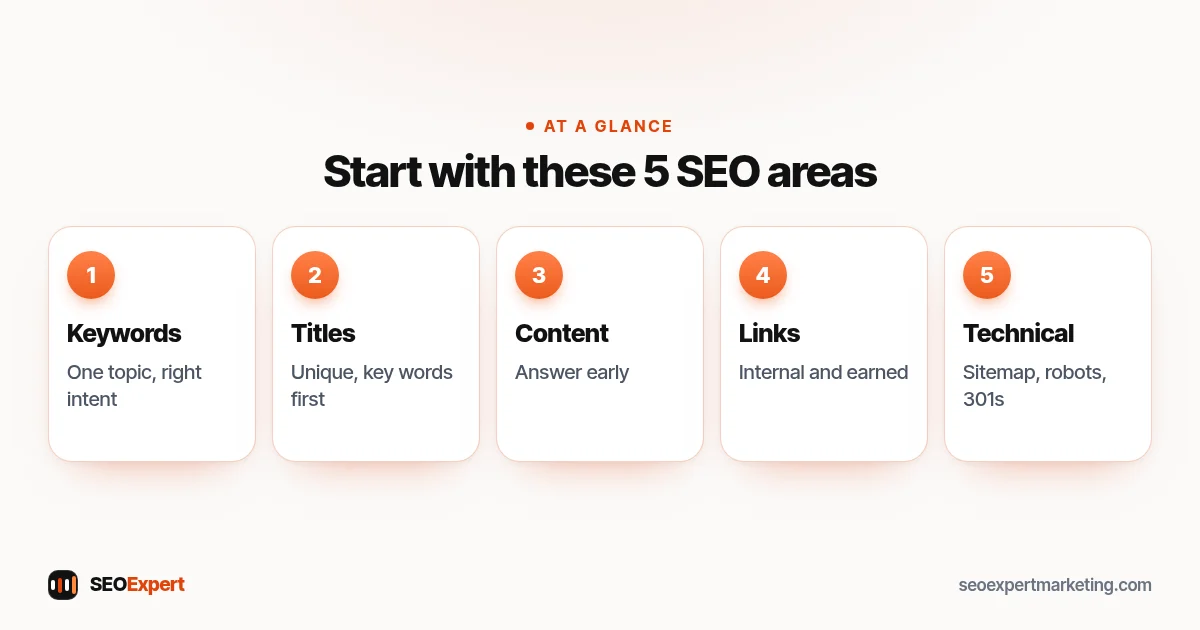
- One main topic per page. Pick one main keyword and a few close variations. Two pages chasing the same search compete with each other.
- Match the intent. Look at what already ranks. Guides rank for "how to" searches; service pages rank for "near me" and "company" searches.
- Prefer buyer searches for service pages. Our guide to high intent keywords shows how to find them.
- Use real words from real people. Your Search Console queries show how customers actually search. See what a search query is.
- Full method: how to do keyword research.
New to keywords? Start with our guide to choosing a target keyword for each page.
2. Titles and meta descriptions
| Element | Quick rule |
|---|---|
| Title tag | Unique per page, main keyword near the start, written for people. Google has no fixed limit but cuts long titles to fit the screen, so keep the key words early. |
| Meta description | A clear one or two sentence summary with a reason to click. Google may rewrite it, but a good one helps. |
| H1 | One per page, close to the title in meaning. |
| URL | Short, lowercase, words separated by hyphens, no dates or IDs if avoidable. |
Google's guide to title links confirms there's no limit on title length, but titles are truncated as needed, typically to fit the device width. More detail: writing SEO titles, writing meta descriptions and SEO-friendly URLs.
For what each tag does, with examples, see our guide to HTML tags for SEO.
3. Content and headings
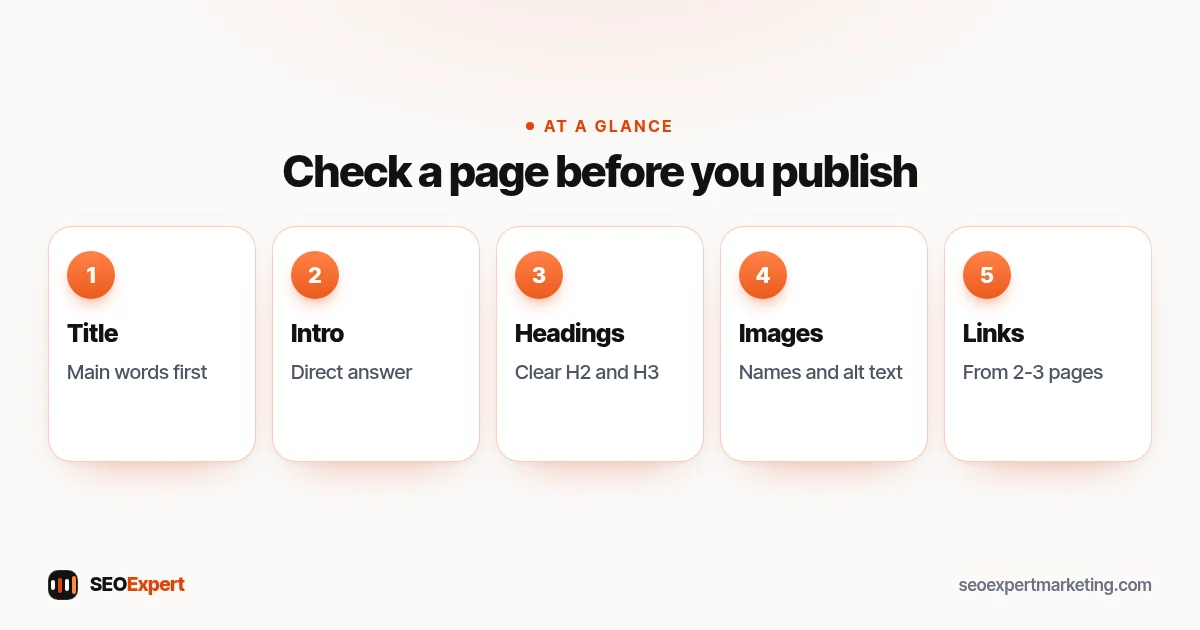
- Answer the question early. Put the direct answer in the first paragraph or two.
- Use H2 and H3 headings that describe each section, like a table of contents.
- Show real experience. Prices or price ranges, areas served, photos of your work and named people behind the business build trust.
- No copied or thin pages. Each page should add something. See our guide to duplicate content.
- Write for the reader, then check the keyword. Use the main phrase naturally in the title, first paragraph and a heading or two.
- Update, don't just add. Improving an existing page is often faster than writing a new one.
4. Images
- Descriptive file names, such as roof-repair-before-after.webp, not IMG_2041.jpg.
- Alt text that describes the image for someone who can't see it.
- Modern formats such as WebP, compressed and sized for the space they fill.
- Your own photos beat stock photos for trust.
- Full guide: image SEO.
5. Links
- Internal links: link every new page from at least two or three related pages, with descriptive anchor text. See internal linking for SEO.
- Outbound links: link to trusted sources when you quote a fact or a rule.
- Backlinks: earn them from real, relevant sites. Never buy links that pass ranking credit. Start with what a backlink is and the history in our Google Penguin guide.
- Broken links: check them monthly and fix or redirect them.
6. Technical SEO quick reference
| Item | Rule of thumb |
|---|---|
| HTTPS | Every page on HTTPS, with HTTP redirecting to it. |
| XML sitemap | List the pages you want indexed. One sitemap holds up to 50,000 URLs or 50MB uncompressed. |
| robots.txt | Controls crawling, not indexing. Google reads up to 500 KiB. |
| noindex | Use a robots meta tag to keep a page out of results. Don't also block it in robots.txt, or Google can't see the tag. |
| Canonical tag | Points similar or duplicate pages to the main version. |
| 301 redirect | Permanent move. Use it whenever a URL changes. |
| 302 redirect | Temporary move only. |
| 404 / 410 | Page not found / gone. Fine for pages that really no longer exist. |
| Mobile | Same content on phone and desktop, readable without zooming. |
Google's sitemap guide lists the size limits above. Full guides: XML sitemaps, robots.txt, 301 redirects and mobile SEO. For a deeper review, use our technical SEO audit checklist.
7. Speed and Core Web Vitals
| Metric | What it measures | Good score |
|---|---|---|
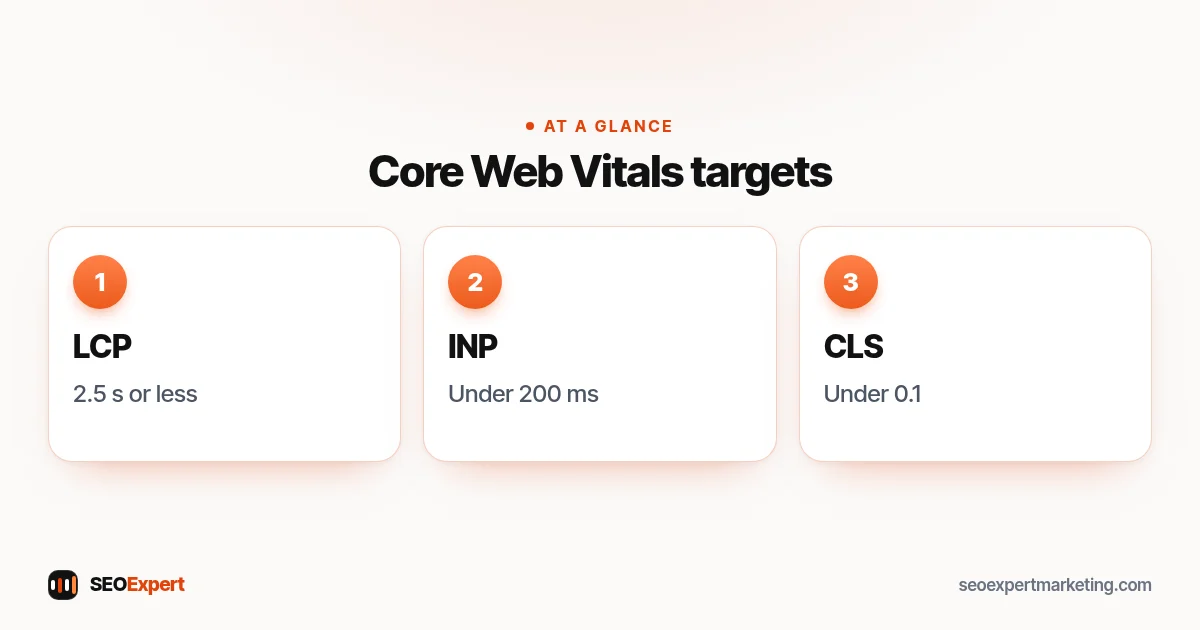
| LCP (Largest Contentful Paint) | Loading | Within 2.5 seconds |
| INP (Interaction to Next Paint) | Responsiveness | Less than 200 milliseconds |
| CLS (Cumulative Layout Shift) | Visual stability | Less than 0.1 |
These targets come from Google's page on Core Web Vitals. Quick fixes: compress images, set image sizes, cut unused plugins and scripts, and use caching. Full guide: Core Web Vitals explained.
8. Local SEO
- Complete and verified Google Business Profile, with the right main category. See Google Business Profile optimization.
- Same name, address and phone number everywhere: website, profile and directories. See local SEO citations.
- A page for each main service, and for each area you really serve.
- Ask every happy customer for a review, and reply to all reviews.
- LocalBusiness structured data on your site. See local business schema.
- Full list: our local SEO checklist.
Structured data quick reference
Structured data (schema markup) helps search engines understand what a page is about. It doesn't push a page up the results on its own, but it can make a page eligible for richer results. This part of the SEO cheat sheet lists the types most small businesses use:
| Type | Use it on |
|---|---|
| LocalBusiness (or a more specific type) | Home page or contact page of a local business |
| Organization | Home page or about page, with your logo and profiles |
| BreadcrumbList | Pages that sit inside a clear menu structure |
| Article | Blog posts and guides |
| Product | Product pages in an online shop |
Only mark up what is visible on the page, keep details accurate and test new markup with Google's Rich Results Test before relying on it.
SEO cheat sheet for AI search
AI features in Google and assistants such as ChatGPT and Perplexity pull answers from pages they trust. The basics on this SEO cheat sheet are also the basics for AI search: clear answers near the top, headings that match real questions, accurate facts with sources, consistent business details across the web and pages that show who is behind the business. There is no special trick for getting mentioned, so focus on being the clearest, most reliable answer for your topic and your area.
SEO cheat sheet for WordPress sites
- Use one SEO plugin, not two, and set the site title, home page title and social image.
- Check "Settings → Reading" so the site isn't set to discourage search engines.
- Use simple permalinks with the post name.
- Keep plugins and themes updated, and remove the ones you don't use.
- Full list: our WordPress SEO checklist.
9. Tracking: what to check each month
- Search Console Performance: clicks, impressions and average position for your key pages. Our Google Search Console guide shows where.
- Quick wins: searches where you sit in positions 5 to 20. Improve those pages first.
- Pages report: new pages indexed, and any "not indexed" reasons.
- Enquiries: calls, forms and bookings from organic search, which matter more than rankings.
- Links: new and lost links in the Links report.
A simple SEO rhythm
- Every new page: run it against this SEO cheat sheet before publishing, and link it from related pages.
- Every week: reply to new reviews and post an update on your Google Business Profile if you have news.
- Every month: check Search Console, fix broken links and improve one page that sits just off page one.
- Every quarter: review your main service pages, prices and photos, and run a short technical check.
The SEO cheat sheet in one minute
If you only remember a few lines from this SEO cheat sheet, remember these. One page, one topic. Answer the search clearly and early. Write a unique title with the main words first. Link new pages from related ones. Use your own photos with good alt text. Keep the site fast, secure and readable on a phone. Keep your business details the same everywhere. Check Search Console once a month and improve the pages that are close to page one.
Worked example: checking a new service page
A plumber writes a new "boiler repair" page and runs it against this SEO cheat sheet. The title starts with "Boiler Repair in Leeds", the first paragraph says what's included and the price range, and the URL is /boiler-repair-leeds/. Two gaps show up: none of the existing pages link to it, and the photos are named IMG files with no alt text. Ten minutes later the home page and the central heating page both link to it, and the photos have proper names and descriptions. The page is now ready to publish and to submit in Search Console.
Who this SEO cheat sheet is for
This SEO cheat sheet is written for small business owners, office managers and the freelancers or family members who look after a business website. You don't need to know code to use it. Most items can be checked in your website editor, your SEO plugin, Google Search Console and your Google Business Profile.
If you work with a web designer or an SEO company, share this SEO cheat sheet with them too: it gives you both the same short list to agree on, and makes it easier to ask good questions about what has been done and what hasn't. Where an item needs a developer, such as redirects on a custom-built site or speed fixes in a theme, the linked guide explains what to ask for.
Common mistakes this SEO cheat sheet helps you avoid
- Several pages with nearly the same title and topic.
- New pages that nothing links to.
- Blocking a page in robots.txt and expecting a noindex tag to work.
- Changing URLs without 301 redirects.
- Huge uncompressed images that slow every page.
- Different phone numbers or addresses on different sites.
- Judging SEO on rankings alone instead of enquiries.
Want us to run the checks for you?
Our SEO services cover everything on this SEO cheat sheet, done by hand. To start, ask for a free website analysis and we'll show you which items on the list need attention first on your site.
SEO cheat sheet: quick answers
What is an SEO cheat sheet?
An SEO cheat sheet is a short, one-page reference of the main SEO rules: keywords, titles, content, images, links, technical basics, speed, local SEO and tracking.
How long should an SEO title be?
Google has no fixed limit, but it shortens long titles to fit the screen. Keep titles unique, descriptive and with the most important words near the start.
What are good Core Web Vitals scores?
Google's targets are LCP within 2.5 seconds, INP under 200 milliseconds and CLS under 0.1.
How many URLs can one sitemap hold?
One sitemap can hold up to 50,000 URLs or 50MB uncompressed. Larger sites split their URLs into several sitemaps and can use a sitemap index.
Does robots.txt stop a page from being indexed?
Not reliably. robots.txt controls crawling. To keep a page out of results, use a noindex robots meta tag and let Google crawl the page so it can see it.
How often should I check my SEO?
Once a month is enough for most small businesses: Search Console performance, indexed pages, links and enquiries from organic search.
